Alarm Policies
Alarm policies allow administrators to direct alarm events to specific users, groups or notification channels. Follow these steps to configure an Alarm Policy.
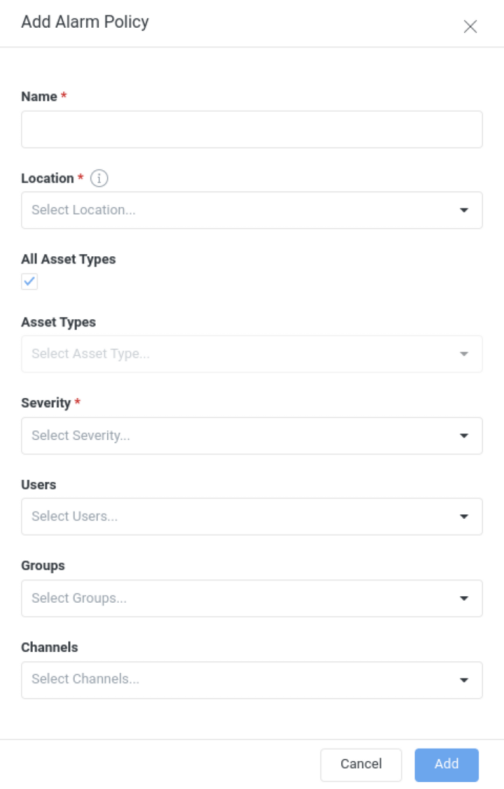
Give the Alarm Policy a name.
Select the asset types the policy will apply to. By default, it will apply to all asset types.
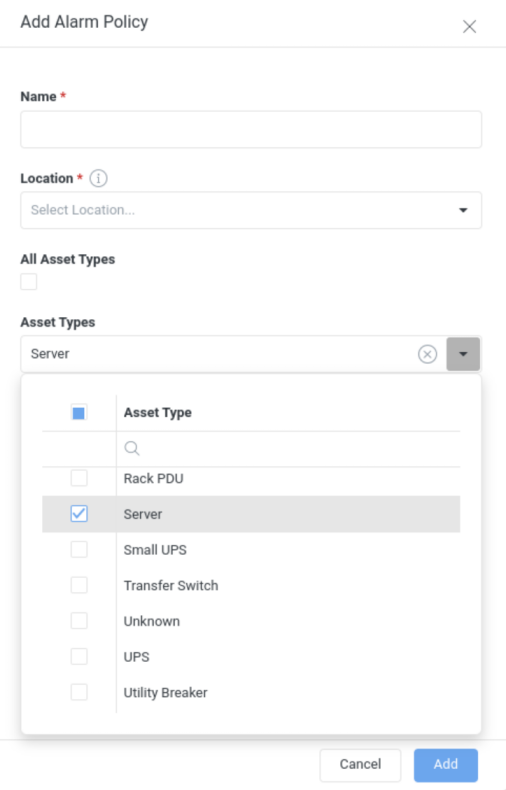
Select the minimum alarm event severity that will trigger this policy.
Select the event Categories the policy applies to. By default, it applies to all categories. If you include the Sensor Threshold category, you can keep All Sensor Thresholds selected, or clear it to choose specific thresholds from the Sensor Thresholds list — letting you target the policy to individual sensor thresholds.
Select the combination of users, groups, and channels to receive notifications.