Viewing Alarm Events and Statuses
By using the color-coded system and interactive features, users can quickly access detailed information and improve decision-making based on asset alarm status.
Location Layout - Map
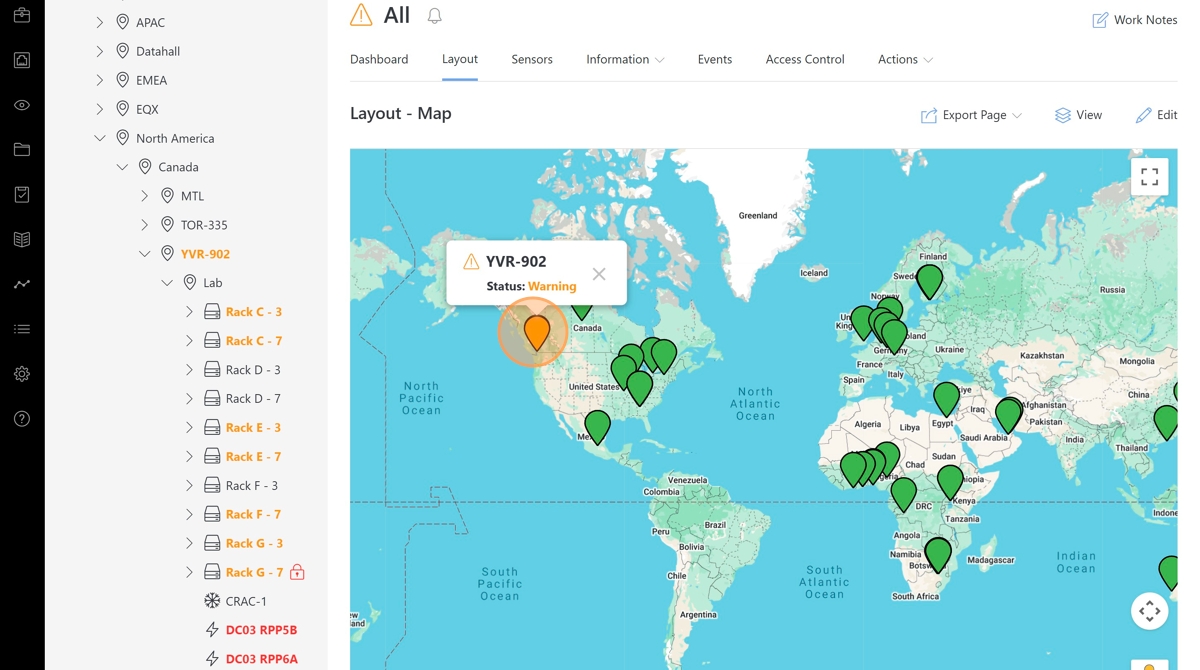
Location statuses are elevated to the Location Layout - Map view.
Note
Clicking on the location nodes on the map view displays a status tooltip.
Hierarchy Tree
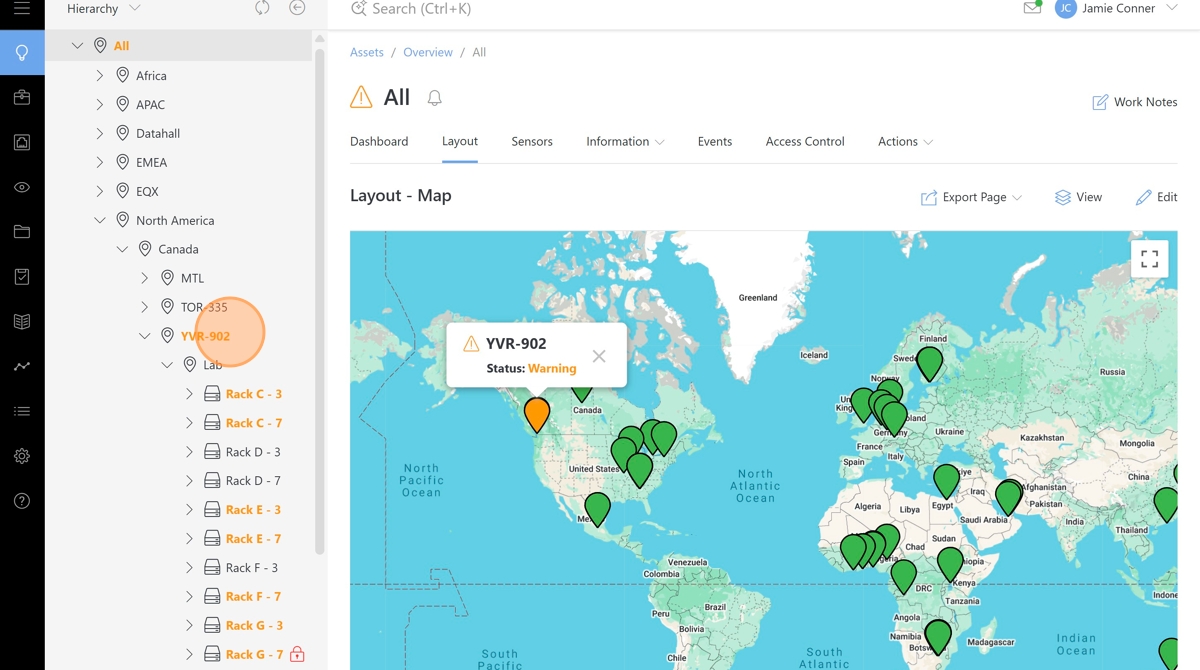
Asset and location status colors are displayed in the hierarchy tree.
Note
The color key for statuses is as follows.
Green - Normal
Orange - Warning
Red - Critical
Location Layout - Floor Plan
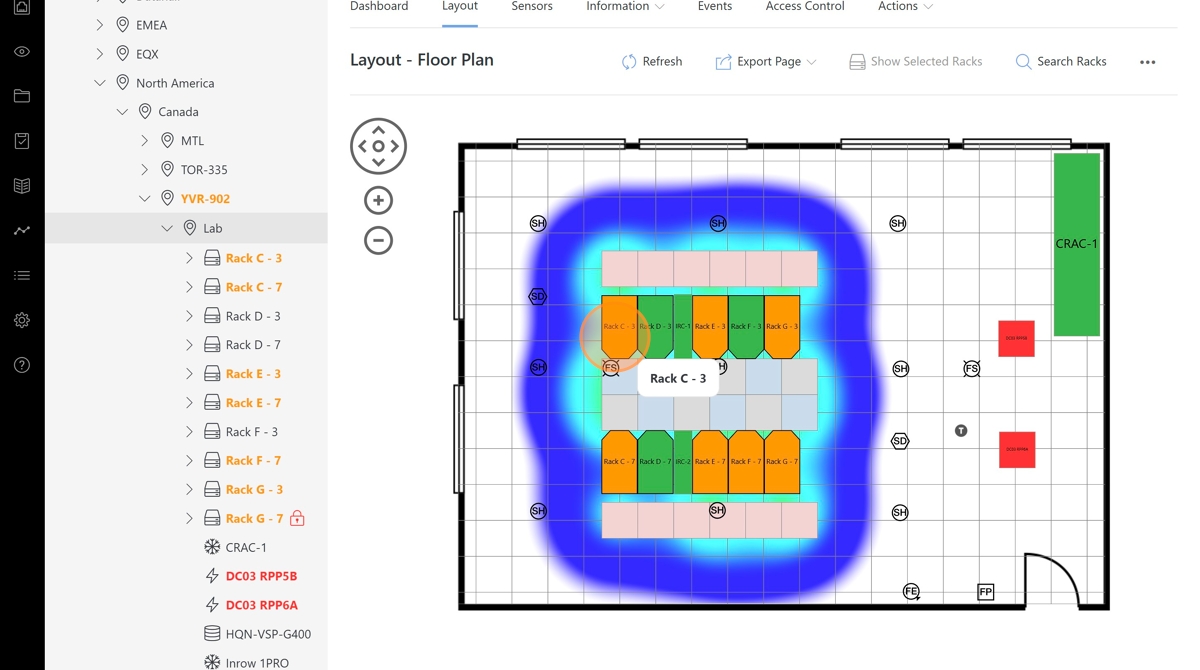
Asset and location status colors are displayed on the Location Layout - Floor Plan view.
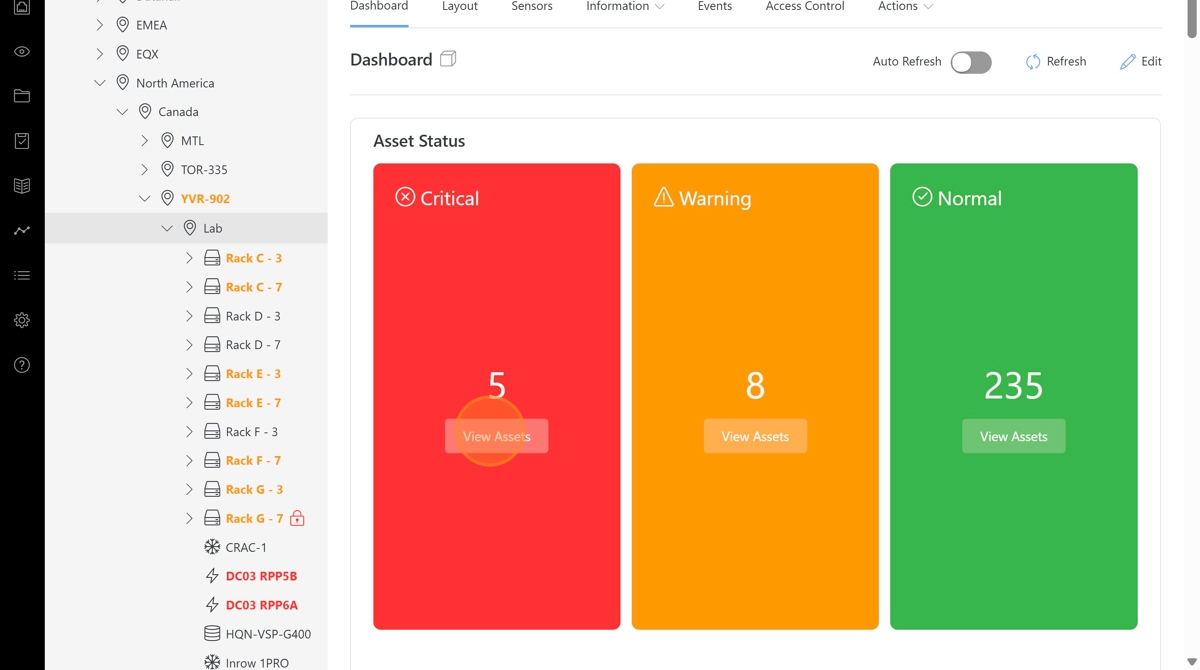
Location Dashboard - Asset Status Widget
Asset status counts are displayed in the Asset Status widget on location dashboards.
Note
The Asset Status widget can be added to any location dashboard and will summarize the status counts of all assets nested within that location.
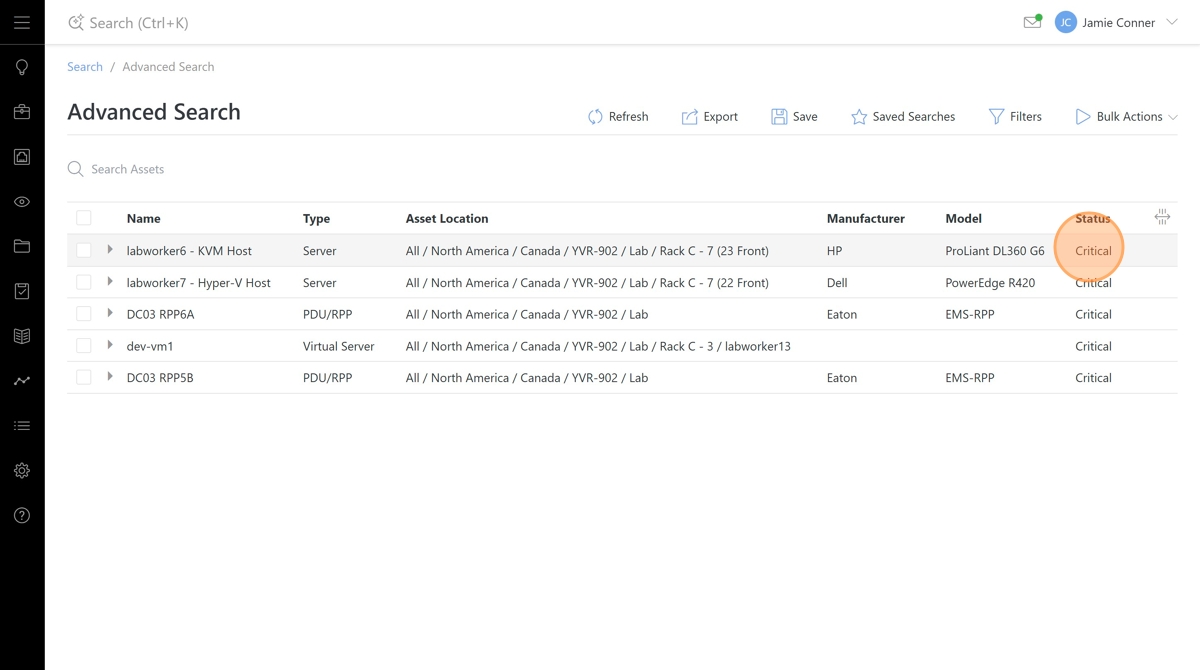
Clicking the View Assets button opens an advanced search filter that displays those assets.
Global Events Page
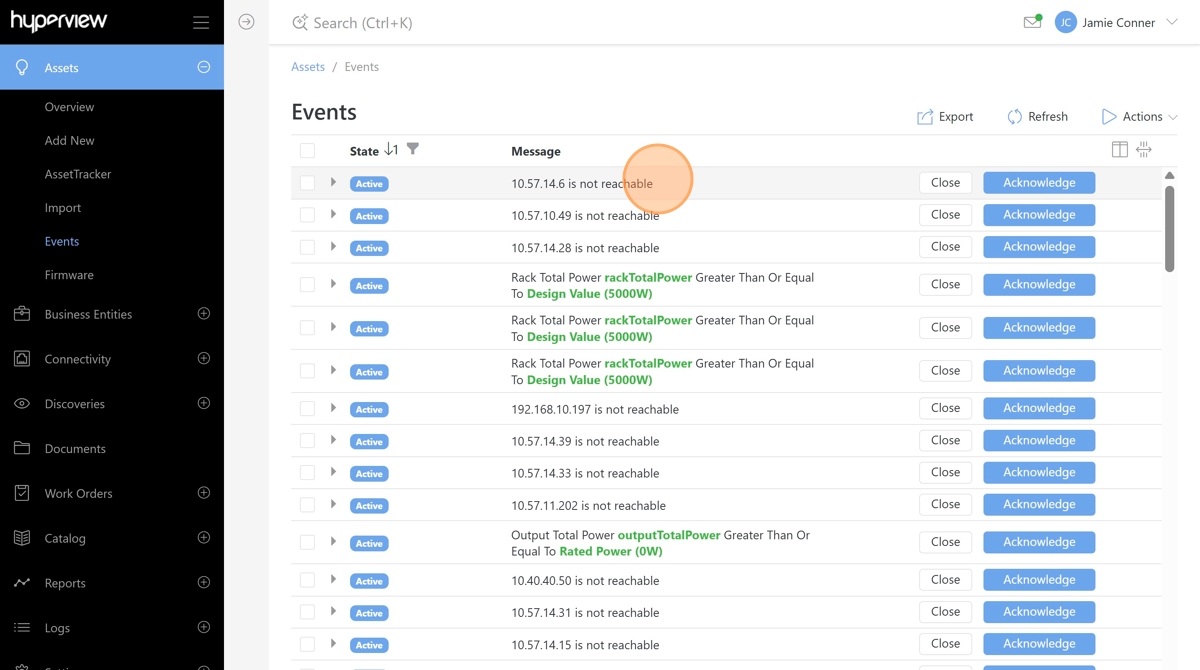
All status events within the platform can be viewed from the Assets -> Events page.